Radio authentication
Load P25 radio authentication keys into radios over USB, keep each radio's key with its SUID, and send the pairs to your Authentication Center, or export them for entry by hand.
A radio is provisioned with an AES-128 authentication key stored against its SUID (WACN, System ID and Unit ID). KFDPro loads the key into the radio and keeps a copy as a radio key pair, until it has been sent to the AuC or exported. It can hold up to 475 pairs. Our AuC connection is validated against Authentication Center release R25.
- Your radios
- Radio's USB cable · key loaded, SUID read
- KFDPro
- Wired Ethernet · key pairs sent
- Your AuC
USB only
Authentication keys are loaded over the radio's USB programming cable, never the three-wire adapter. The radio must have radio authentication enabled.
Set up (once)
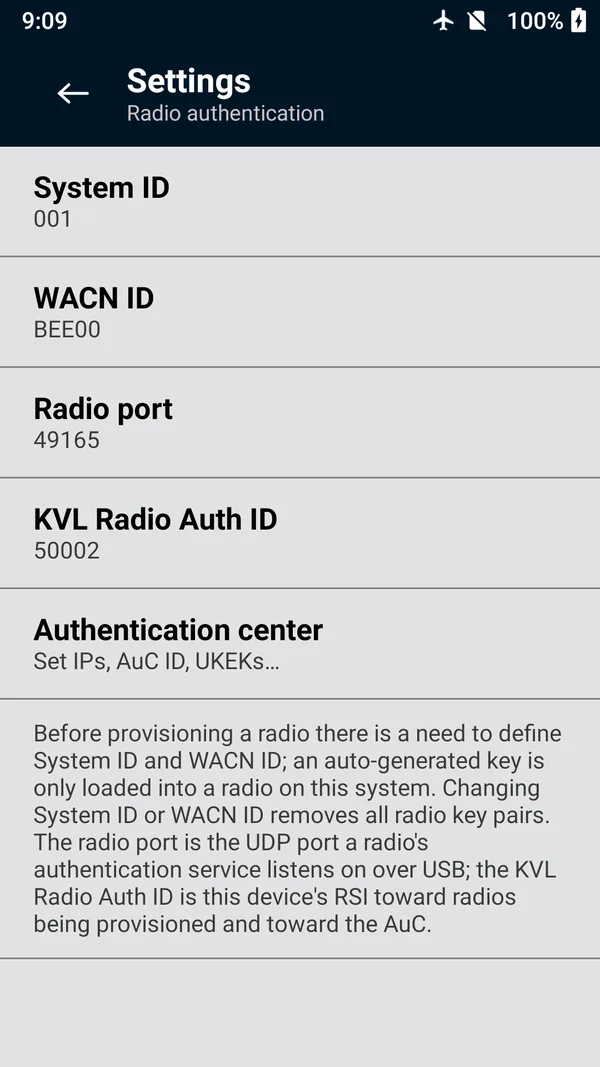
Open Radio authentication from the main menu, then the Radio authentication settings row.
Set System ID (3 hex digits) and WACN ID (5 hex digits) for your system. An auto-generated key is only loaded into a radio on this system.
Leave Radio port (49165) and KVL Radio Auth ID as they are unless your system uses other values. The KVL Radio Auth ID is this unit's RSI toward the radios and the AuC.
Tap Authentication center and set the AuC ID, the AuC port (default 49165), the Main AuC IP address (and a Backup AuC if you have one), and the AES128 UKEK from this unit's KVL record in the AuC.
 (enlarge)
Caution
Changing the System ID or WACN ID removes every radio key pair held on the unit. Send or export them first.
Provision a radio
Turn the radio on and switch it to a channel on the trunking system, so it has an active SUID.
Connect it with its USB programming cable (see USB keyloading).
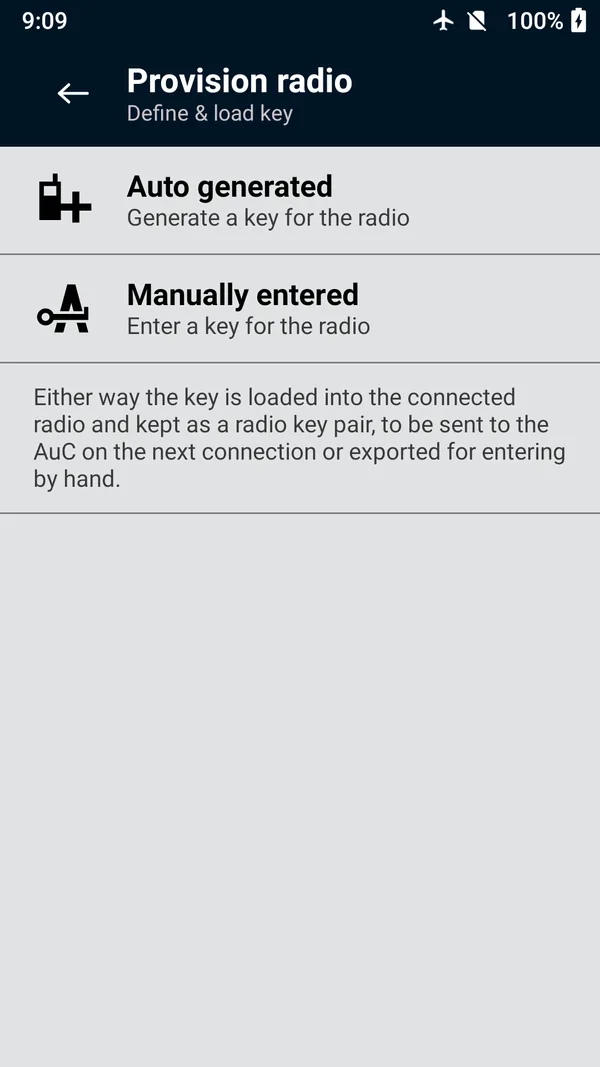
In Radio authentication, tap Provision radio, then:
- Auto generated to have the unit generate the key, or
- Manually entered to type the 32 hex digits of an AES-128 key (Auto fills in a random one).
The unit reads the radio's SUID and loads the key. If the radio already has an authentication key, you are asked whether to replace it.
The result reads
Radio ID: 1092 Succeeded
(with the radio's unit ID). Tap Provision next radio and connect the next one.
 (enlarge)
Send the key pairs to the AuC
Connect the unit's Ethernet port to a network from which the AuC can be reached.
In Radio authentication, tap Connect to AuC, then Network.
The session runs by itself: Connect, then Send (
Sent 3/5 radio key pairs
), then Complete.
Pairs the AuC accepts are removed from the unit. Any it doesn't accept stay on the unit (Send failed: The AuC did not accept…
) so you can try again.
Export the key pairs for entry by hand
Where the AuC can't be reached from where you are, export the pairs as an HTML report and enter them into the AuC by hand.
Switch on Settings › View stored key material (it asks for your PIN if one is set).
Plug a USB drive into the USB-A port.
In Radio authentication, tap View provisioned radios. Select the radios, or none for all of them, then tap Export keys.
Swipe to confirm
Export authentication keys in the clear?
, then choose the USB drive. The file is named likeKFDPro-radio-auth-keys-20260925-143000.html.
Caution
The report holds every authentication key in the clear, because the AuC needs them. Once the AuC has every pair, destroy the file and any copy of it. Switch View stored key material off again.
Managing provisioned radios
View provisioned radios lists every pair waiting to go to the AuC, by radio ID, System and WACN. Sort them by time or radio ID, filter by radio ID, and use Remove selected to delete pairs you no longer need. A removed pair can't be sent to the AuC. The unit warns you once it holds 200 pairs; send them before it fills at 475.
Problems provisioning? See Radio authentication problems.